
From Inquiry to Proposal: How to Turn a Client Email Into a Proposal
Turn messy client emails into clear freelance proposals in minutes. Learn how to extract deliverables, spot vague requirements, adjust pricing, and go from client inquiry to polished proposal without starting from scratch.
Writing a freelance proposal sounds simple until you open your inbox.
A client sends a long email with a few paragraphs about their business, some scattered requirements, a deadline, and maybe a budget. You read it, reread it, try to figure out what they actually want, and then start building a proposal from scratch.
For many freelancers, the hardest part isn't writing the proposal.
It's figuring out what belongs in it.
Instead of rewriting a messy client email into a polished document manually, you can use the client's original message as your starting point.
The basic workflow is:
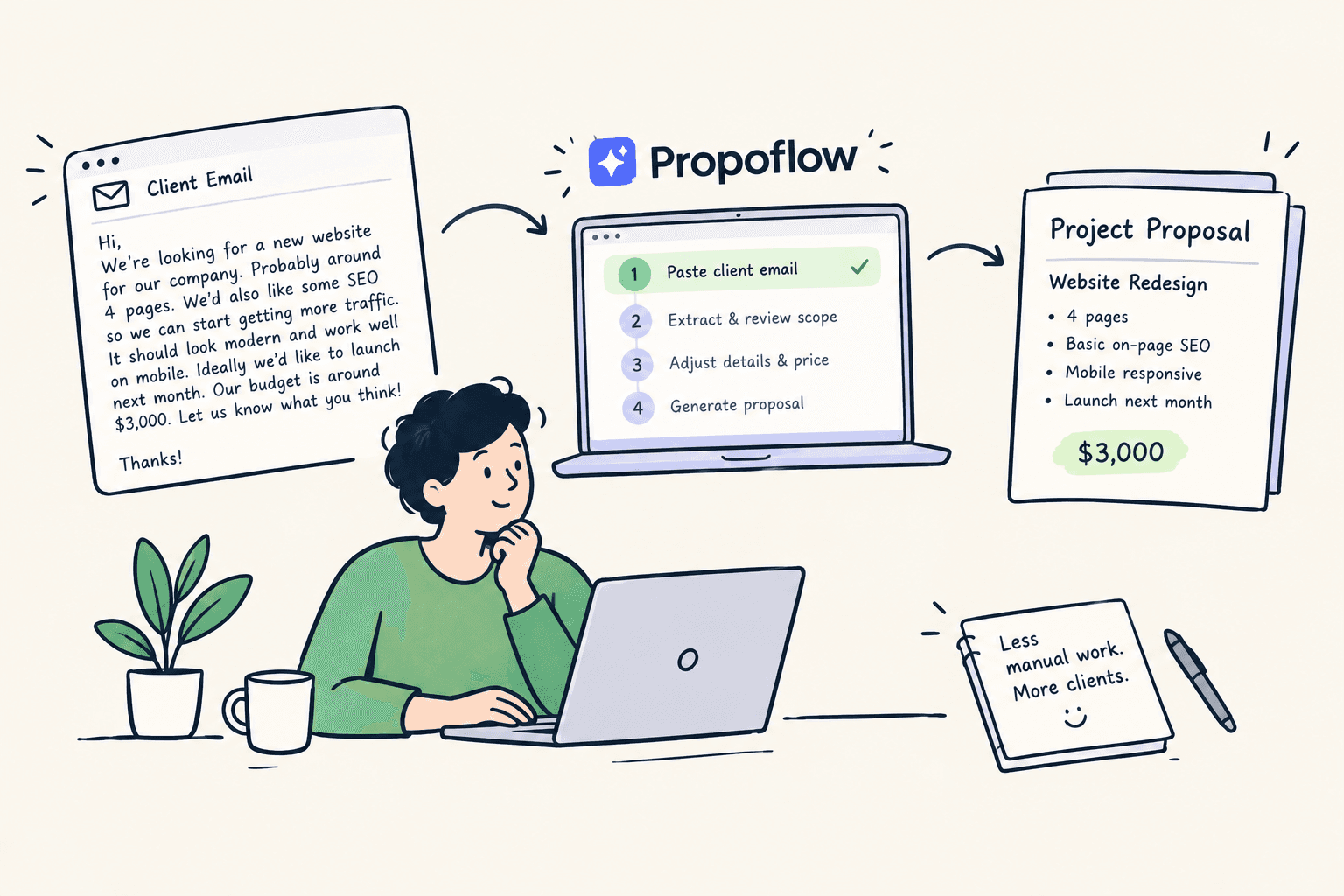
Paste the email → review the scope → adjust the details → send the proposal.
Here's how that process can save time and reduce mistakes.
Why Turning a Client Email Into a Proposal Is So Slow
Client inquiries rarely arrive in a proposal-ready format.
A typical request might look something like:
"We're looking for a new website for our company. Probably around four pages. We'd also like some SEO so we can start getting more traffic. We'd like it to look modern and work well on mobile. Ideally we'd like to launch next month. Our budget is around $3,000."
There is useful information here, but it's mixed together.
You still need to work out:
- What pages are actually included?
- What does "SEO" mean?
- Does the client expect copywriting?
- How many revisions should be included?
- What exactly does "mobile-friendly" cover?
- Is the $3,000 budget fixed or flexible?
- What needs to happen before the proposed launch date?
If you manually turn every inquiry into a proposal, you end up doing the same analysis over and over again.
That is where a faster workflow helps.
Start With the Client's Exact Message
The simplest way to speed things up is to avoid rewriting the inquiry yourself.
Keep the client's original wording.
Why?
Because the original message contains context that can disappear when you summarize it too early.
For example, the phrase:
"We'd also like some SEO."
could easily become:
SEO included
in your notes.
That tiny change creates a much bigger problem.
What does "SEO included" actually mean?
Does it include keyword research? On-page optimization? Technical SEO? Content? Link building? Monthly reporting?
Instead of simplifying vague requests, first identify them.
The goal isn't to turn the client's email into a proposal word-for-word.
The goal is to turn the email into structured project information.
Step 1: Extract the Deliverables
Start by pulling out everything the client appears to be asking for.
Using our Acme Labs example, you might extract:
Project: Website redesign
Likely deliverables:
- 4-page website
- Responsive/mobile-friendly design
- Basic on-page SEO
- Website launch
Target budget: $3,000
Target timeline: Next month
That's already much easier to work with than the original email.
But you're not done yet.
Some of these requirements are still too vague.
Step 2: Flag Ambiguous Requirements
This is one of the most important steps.
Before you create a proposal, identify anything that could turn into additional work later.
For example:
"Some SEO"
is ambiguous.
"Modern design"
is subjective.
"Mobile-friendly"
could mean anything from responsive layouts to a separate mobile UX process.
"Launch next month"
doesn't tell you when content, feedback, or approvals need to arrive.
These aren't necessarily bad requests. They just need clarification or boundaries.
A good proposal doesn't simply repeat what the client said.
It turns unclear requirements into something both sides can understand.
Step 3: Turn Vague Requests Into Specific Scope
Suppose you decide the $3,000 project includes basic on-page SEO.
Instead of writing:
SEO included
you could define it as:
- Keyword research for up to 10 target keywords
- On-page optimization for 4 pages
- Meta titles and descriptions
- Image alt-text
- XML sitemap setup
- Google Search Console setup
Then explicitly exclude work that isn't included:
- Ongoing SEO
- Link building
- SEO content writing
- Monthly reporting
- Ranking guarantees
- Off-page SEO
Now the client knows what they're paying for.
And you know what you're responsible for.
This is one of the biggest advantages of going from inquiry → structured scope → proposal instead of inquiry → blank document.
Step 4: Fill in Your Proposal
Once the scope is clear, the proposal itself becomes much easier to write.
You can organize the information into familiar sections:
Project Overview
A short summary of what you're building and why.
Deliverables
Exactly what the client receives.
Timeline
The expected project schedule and important client dependencies.
Investment
Your project price and payment terms.
Revisions
How many revision rounds are included.
What's Not Included
Anything outside the agreed scope.
Next Steps
How the client approves the proposal and gets started.
Instead of inventing all of this from scratch, you're simply organizing information you've already extracted from the client's inquiry.
Step 5: Adjust the Price
Your client's email shouldn't automatically determine your price.
A budget of $3,000 is useful context, but you should still price the actual work you're agreeing to deliver.
For example, a four-page website might be $2,500, while SEO setup, additional functionality, or extra revisions could bring the total to $3,000.
The important thing is that the price connects to a defined scope.
Think:
Price the work, not the vague request.
That makes your proposal easier to defend later.
Step 6: Review the Proposal Before Sending
Before you hit send, compare the final proposal against the original client message.
Ask:
Did I include everything the client requested?
Did I define anything that was vague?
Did I accidentally promise something I don't actually want to deliver?
Are revisions, timelines, and exclusions clear?
Does the price match the scope?
This final check can prevent the classic freelancer problem of realizing halfway through a project that something important was never defined.
The Faster Workflow
Once you do this a few times, the process becomes much simpler.
Instead of:
Read email → take notes → rewrite requirements → open template → write proposal → review
you can aim for:
Paste email → extract scope → identify risks → review → adjust price → send
That's a meaningful difference when you're writing several proposals every month.
And there's another benefit: you're making decisions based on the client's actual request instead of relying on memory.
Turn Client Emails Into Proposals With Propoflow
This is exactly the workflow Propoflow is built around.
Instead of starting with a blank proposal, start with the client's original inquiry.
Paste the message into Propoflow and use it as the source for your proposal. The tool helps turn messy client requests into structured project information, including scope, deliverables, timeline, budget, and potential problem areas.
You can then review what was extracted, adjust the scope and pricing, and turn it into a professional proposal.
The result is a much simpler process:
Client inquiry → review scope → refine proposal → send
For freelancers who write proposals repeatedly, removing the blank-page stage can save a surprising amount of time.
Ready to spend less time turning emails into proposals?
Paste your next client inquiry into Propoflow and see how quickly you can go from a messy request to a clear, professional proposal.
Try Propoflow's free proposal maker — no credit card required.
Final Takeaway
Your client's email already contains most of the information you need to start a proposal.
The problem is that it's usually unstructured.
Instead of retyping and reorganizing every inquiry manually, treat the client's original message as your starting point. Extract the deliverables, flag vague requirements, define the scope, adjust the price, and turn the result into a proposal.
The faster you can move from messy inquiry to clear scope, the faster you can get proposals out—and the less likely you are to miss something that later becomes unpaid work.
Stop Scope Creep in Your Inquiries
Paste any raw client inquiry into PropoFlow to detect risk flags, generate transparent line items, and close higher-ticket deals.
Try PropoFlow Free →